

How a school could use SchoolTrack
Your school sets the direction.
SchoolTrack helps you follow it through. Your vision, professional judgement and knowledge of your school shape the work. Keep the plan, responsibilities and evidence together through the academic year.
Follow a priority through the school year.
Your school chooses its priorities, meeting dates and review points. The steps below explain where SchoolTrack can help with the work you already do.
Before agreeing the plan
Start with your school’s vision and what you know
Leaders consider the school’s longer-term ambitions, self-evaluation and evidence from the previous year. What is working well? What needs attention? Which changes would make the greatest difference for pupils?
In SchoolTrack
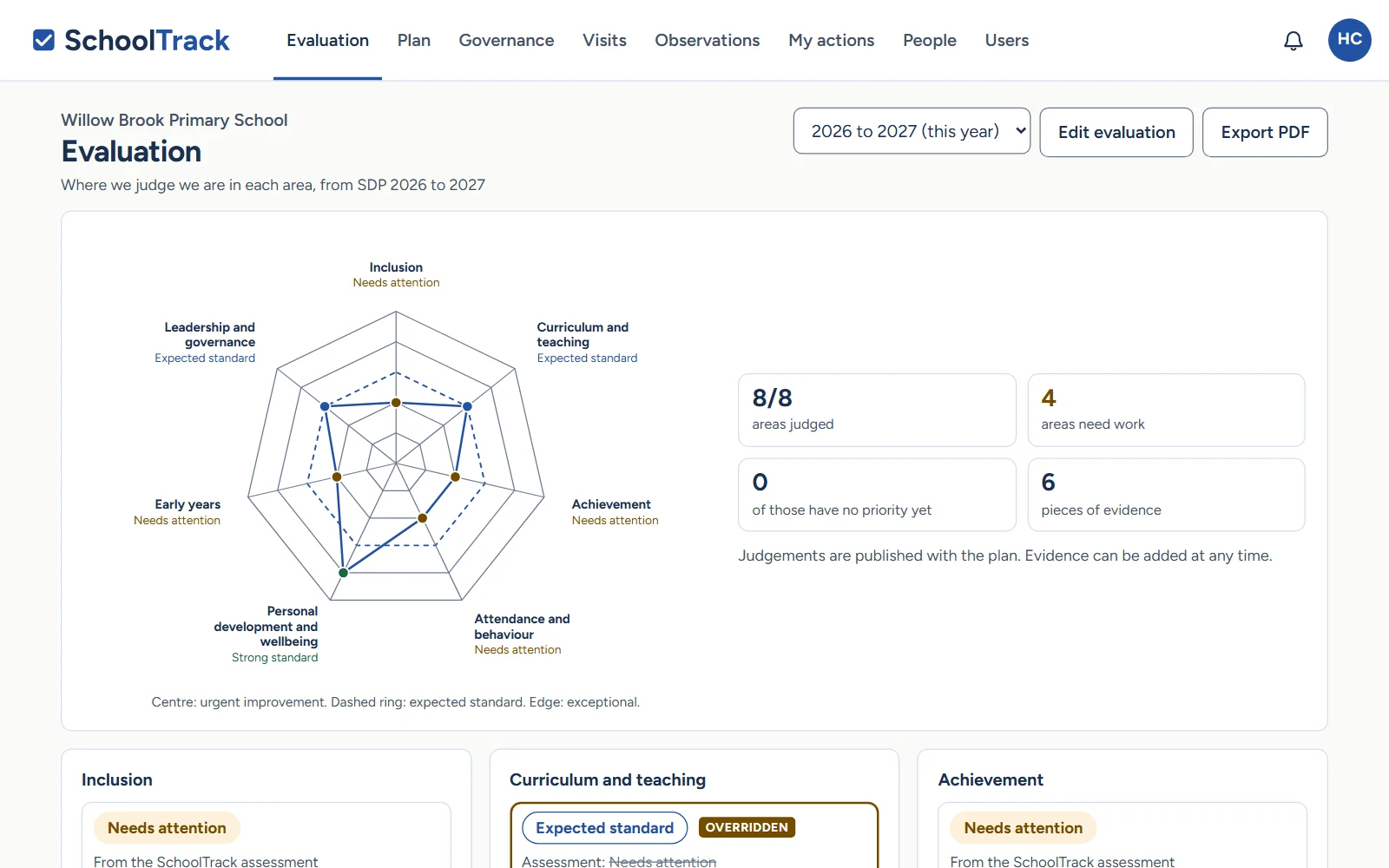
The self-evaluation (SEF) overview shows your judgements across the evaluation areas in a web diagram. Record strengths, what to develop and the reasons for your judgement, then use this to inform the priorities in your school development plan.
As you prepare the school development plan
Agree what you will do this year
Decide what you want to change for pupils. Agree the targets, the actions people will take, who will lead each part and when you will consider its impact.
In SchoolTrack
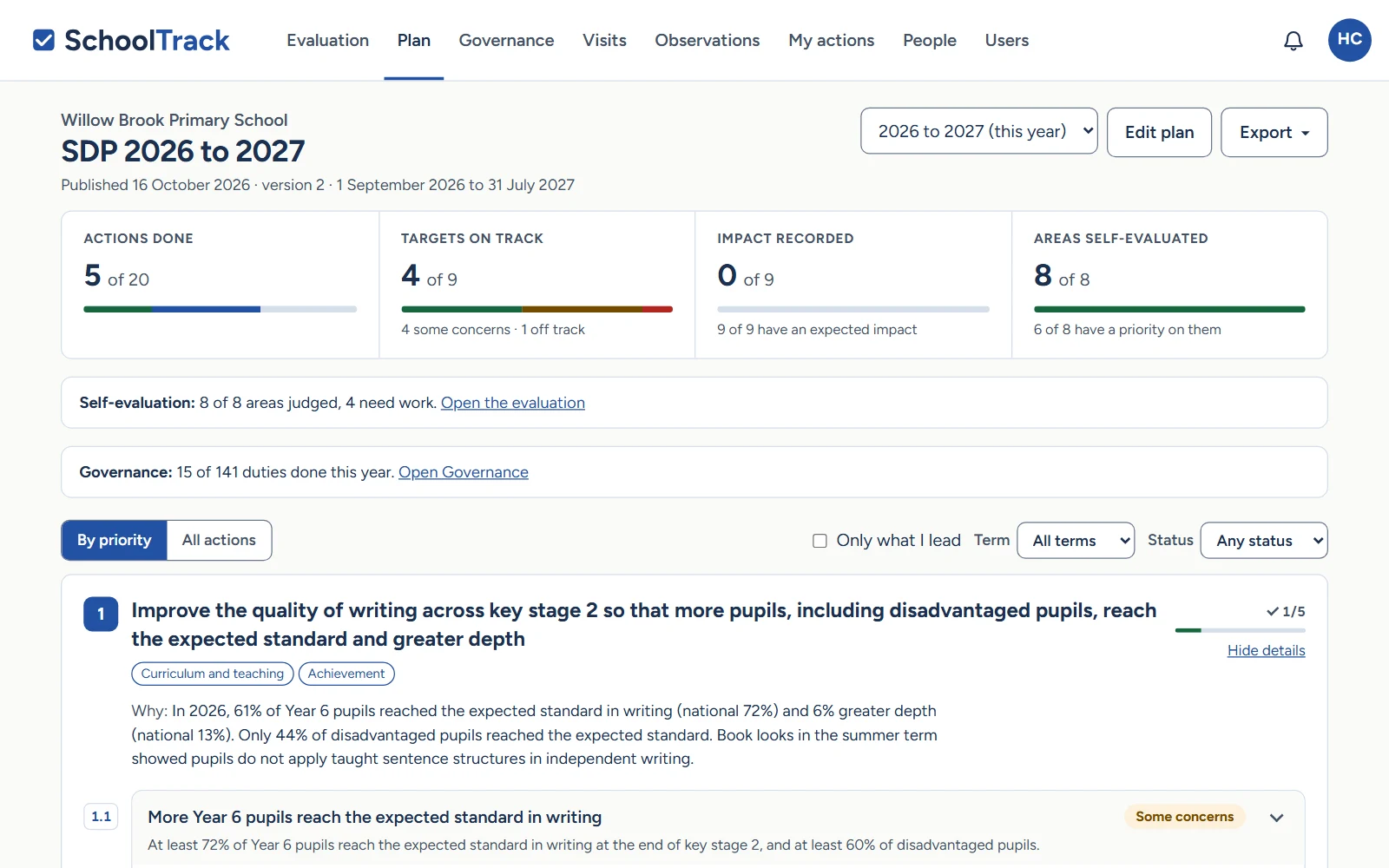
Keep priorities, targets, named leads and actions in the plan. Record the starting point, expected impact and how you will check it. Publish the plan when it is ready for colleagues and governors to read.
Through the school year
Keep the plan connected to everyday work
People carry out the agreed actions. Staff consider teaching and pupils’ work; governors make visits linked to the school’s priorities. Useful findings need to reach the next discussion.
In SchoolTrack
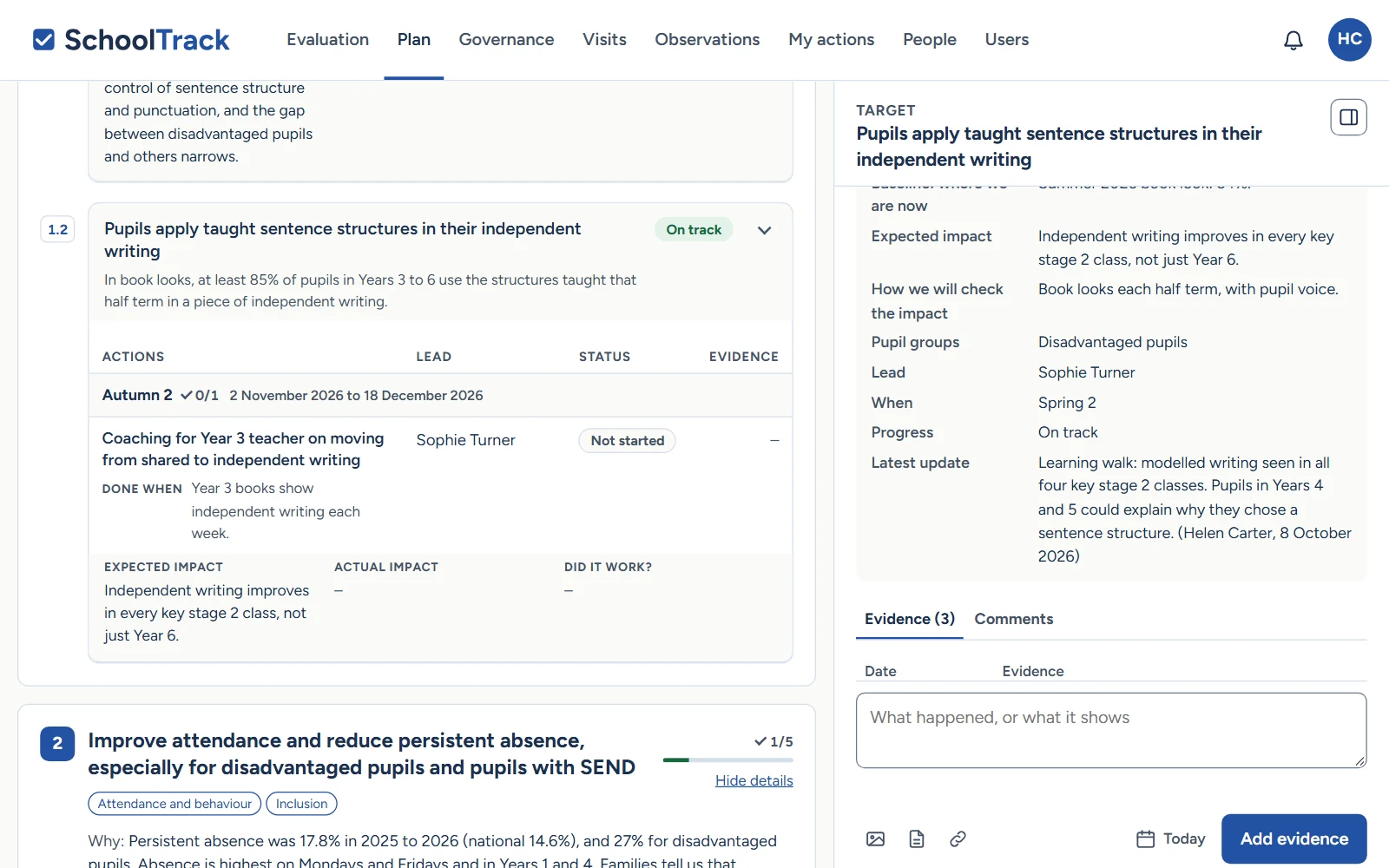
Named leads add dated evidence and updates to the relevant parts of the plan. Observations and learning walks can link privately to priorities and next steps. Governor visits have their own records and checking process.
At the review points your school chooses
Use meetings to consider what is changing
Leaders and governors consider which actions have happened and what the evidence suggests about their impact. They ask questions, agree where support is needed and decide whether the approach should change.
In SchoolTrack
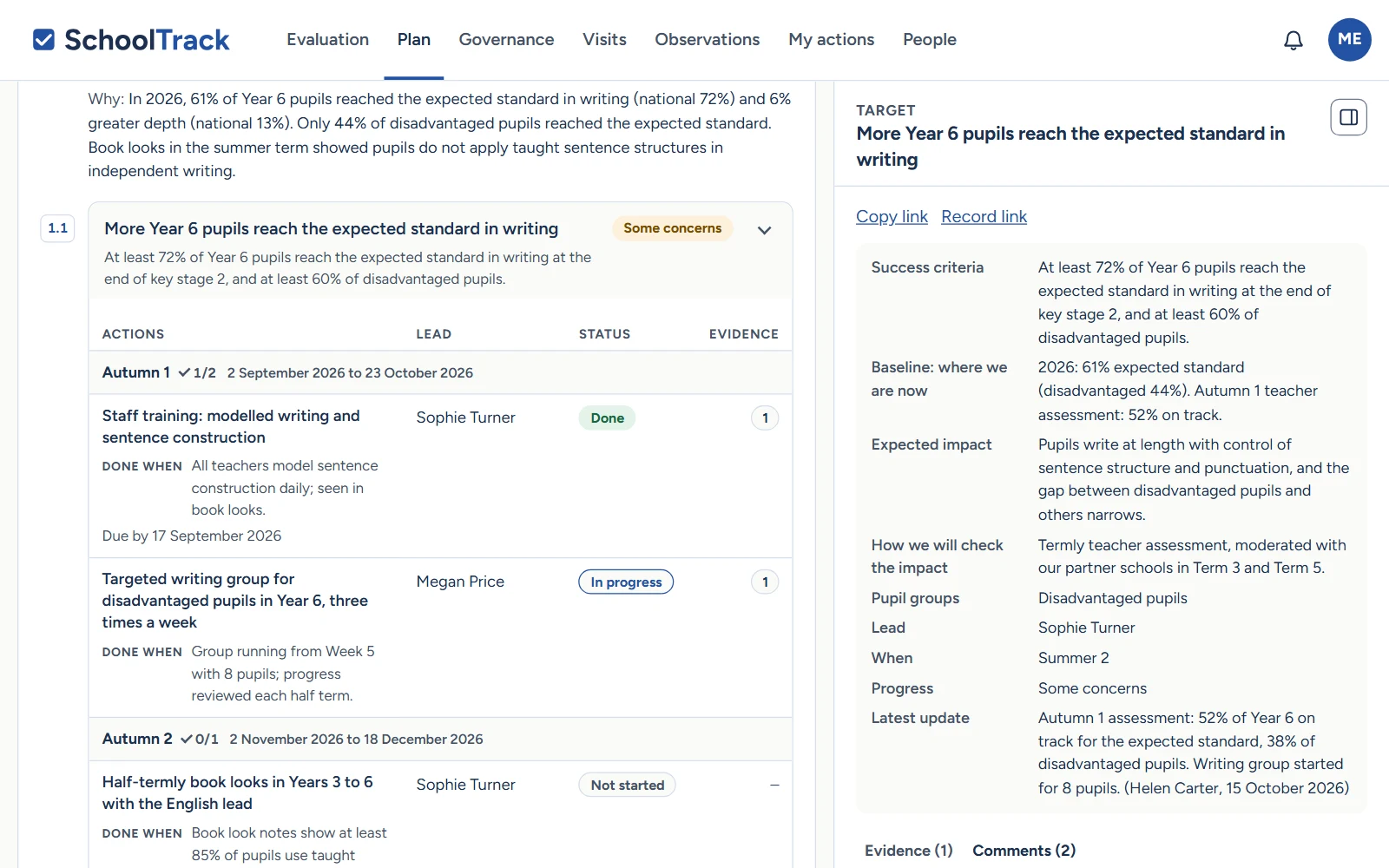
Read the latest updates and evidence alongside the target. Governors can ask questions in its comments, with the response kept in the same place. Update the plan as decisions are made.
At the end of the academic year
Carry the learning into the next year
Consider what has changed for pupils, what remains unfinished and what you have learnt. Use that understanding, alongside your school’s vision, to inform the next self-evaluation and development plan.
In SchoolTrack
Record actual impact, what worked and how you know. Previous plans remain available to refer to when preparing the next year’s work.
Help with drafting and keeping the plan up to date
Work on your SDP with your AI assistant.
Connect Claude or ChatGPT to SchoolTrack and work with the plan, self-evaluation and evidence your role can access. With permission to edit the SDP, your assistant can help draft priorities, targets and actions, refine wording and save the changes you agree.
You can also ask it to help with progress updates, evidence notes and preparing your own governor visit, where your role allows.
For Gemini or another AI assistant, ask us about connection support.
Things you could ask
- “Help me turn our writing priority into clear targets and actions.”
- “Read the evidence against this target and help me draft a progress update.”
- “Help me prepare questions for my governor visit.”
Your school stays in control
Your headteacher enables AI access for the appropriate roles. You sign in with two-step login and approve the connection. The assistant works within your permissions; you check the work and publish the plan in SchoolTrack. You can disconnect the assistant at any time.
How AI access worksA clearer picture starts with a conversation.
Register your school for us to check and set up, or get in touch to talk through what you need.
How registration and setup work